
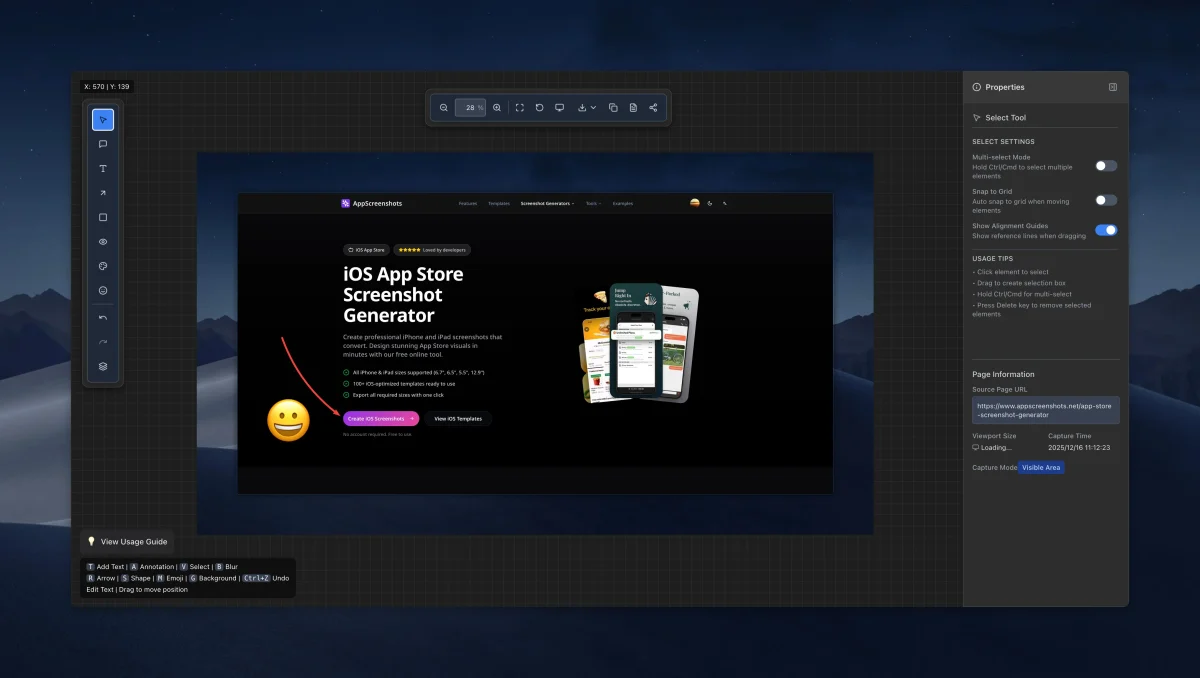
Overview
Full Page Screenshot is a Chrome and Microsoft Edge extension designed to capture complete web pages—including long scrolling pages and dynamic layouts—in a single click, then polish and export them cleanly.
Key features
- Flexible capture modes: Capture entire scrolling pages, the visible viewport, or specific page elements and regions.
- Built-in annotation editor: Add arrows, text, shapes, blur redactions, emojis, backgrounds, rounded stage frames and watermarks.
- Multiple export formats: Copy to clipboard, print, or export as PNG and JPG on the free plan, with WebP and PDF exports plus device mockups in Pro.
- Local history & batch tools: Keep captures organized locally, with unlimited history and batch processing on the Pro tier.
Plans and pricing
Core full-page capture, editing and PNG/JPG export are free with no account required. The Professional plan ($3.99/month or $24.99/year) unlocks WebP/PDF export, device mockups, custom backgrounds and batch processing.